
Opening a Medidate account takes a few minutes: fill in a short sign-up form, go through a five-step wizard that sets up your studio, and your 14-day free trial starts right away, with no credit card.
Step by step
- Create your accountOn "Create your account", enter first and last name, email and email confirmation, password and password confirmation, and phone number, then accept the terms of use. You can also sign up with "Continue with Google".
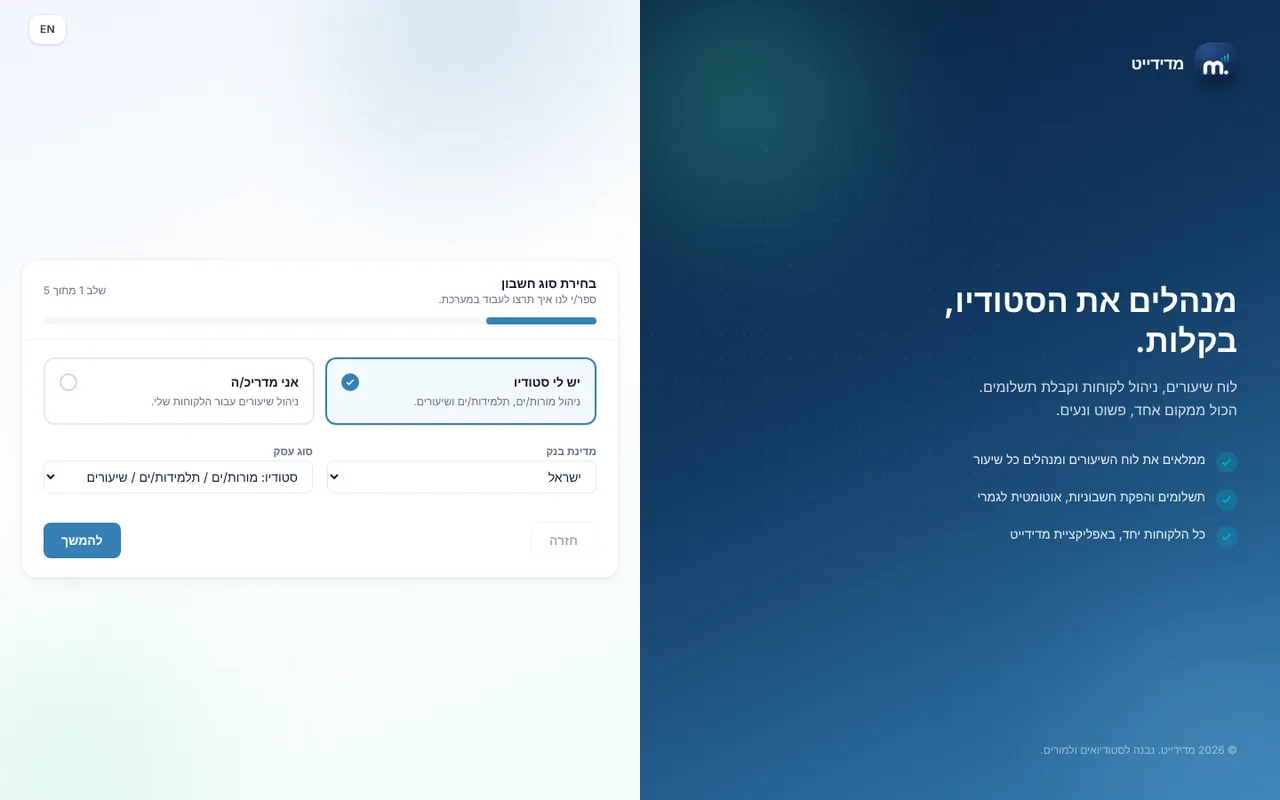
- Choose your roleIn the first step of the "Studio setup" wizard choose "I run a studio" or "I'm an instructor", your bank country, and your business type: Studio, Center, Clinic, Business or Sports Club. The business type sets the wording across the system.
- Studio detailsStudio name (required), business address and a short description. Solo instructors skip this step.
- Contact detailsPhone, city and logo. This is also where you mark "VAT-exempt dealer", which decides whether the system issues a receipt or a tax invoice-receipt.
- Session policiesSet booking and cancellation rules: how many hours before class booking opens and closes, the refund window for cancellations, and whether to require a health declaration and terms agreement. You can change all of it later in Settings.
- Notifications and automationsPick a ready-made notification preset: Essentials, Balanced (recommended) or Maximum, or customize it. When you finish, you get a welcome email and your 14-day free trial is activated.
Key settings and options
- Role: I run a studio / I'm an instructor
- Business type: Studio, Center, Clinic, Business, Sports Club
- VAT-exempt dealer
- Notification preset: Essentials, Balanced, Maximum
Tips
- lightbulbIf you require terms agreement, write your terms in Settings, otherwise students have nothing to sign.
- lightbulbA business invited by an existing customer gets 14 extra free trial days.
Screen names in these guides use the "Studio" business type. For other business types the system adapts its wording, for example "patient" and "treatment" for a clinic, or "trainee" and "training" for a sports club.
Updated for the current version of the system: October 2026